Using HVNT33
Investigations, verification statuses and exports.
The desktop app's Case view (⌘3) is where you follow, review and export an investigation; see apps/desktop. The server has no browser interface of its own: the desktop app, the research CLI and MCP clients are its clients.
Your first investigation§
- Create an investigation with the question you are trying to answer.
- Add people, organizations, places, events, claims, documents, notes, links, images, or videos. Include source citations and capture originals when available.
- Open a record and connect it to another. Use a specific relationship such as “owns,” “paid,” “contradicts,” or “supports.” Choose the supporting evidence record and a verification status.
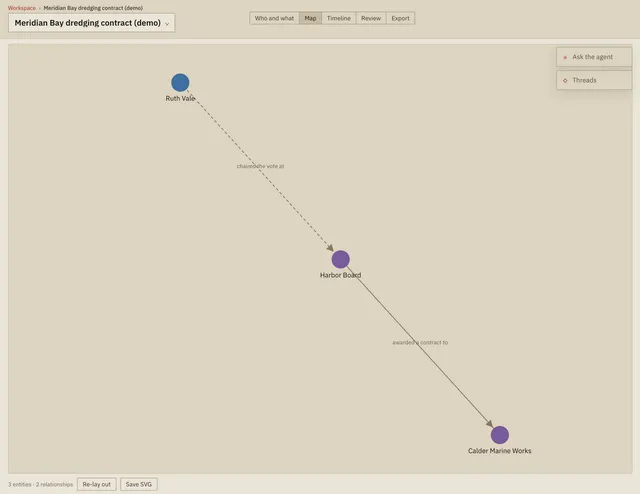
- Use the connection map to inspect links, drag nodes into an arrangement, and download the map as SVG. Use dated records to build the timeline.
- Mark statements for publication. Export the ZIP, extract it, and open
index.html. It works offline. Print it to PDF in your browser, useconnection-map.svgin a layout/slide tool, or take the CSV, JSON, and media into other tools.
A video URL is a link to the source, not an archived video. To preserve a video, attach the file. Each record accepts one file up to 2 GB; use separate evidence records for multiple attachments. Uploaded originals are copied into data/vault/ and assigned a SHA-256 checksum. Images and browser-supported video formats can be previewed; other formats remain downloadable. Checksums help detect changed bytes; they do not establish authenticity or truth.
Verification and presentation§
“Unverified,” “Corroborated,” “Verified,” and “Disputed” are your editorial assessments, and they belong to the investigation making them: the same statement can be Corroborated in one and Disputed in another, because the assessment is yours and the fact is the workspace's. The app does not automatically verify anything. A statement is never edited: a mistake is retracted with its reason and asserted again, so the record of what a source said on a day survives.
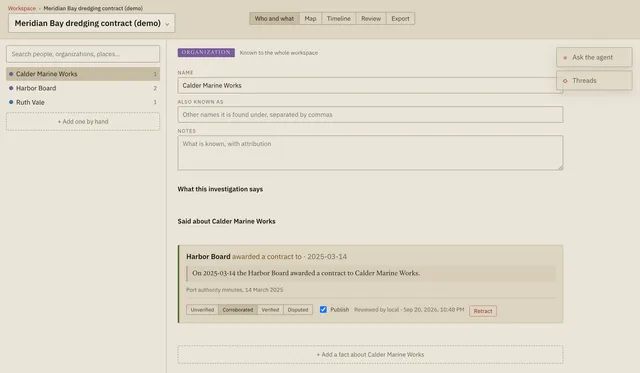
Nothing is published until you mark it. A selected export contains:
- Investigation title and description, all selected records, and their complete notes and citations.
- Selected connections only when both endpoints and the supporting evidence (if specified) are also selected.
- Original attachments for selected records, checksums, capture dates, a timeline, and a connection map.
index.html,connection-map.svg,records.csv,connections.csv,investigation.json, andfiles/.
Search/filter controls affect the workspace display, not the exported selection. “Export entire investigation” includes every record, connection, and attachment, including research-only material. Selection does not redact text, file contents, or embedded metadata. Review the extracted dossier before distributing it. CSV cells that could be interpreted as spreadsheet formulas are escaped.